
Prefer to talk it through? Pick a time that suits you — free, no obligation. We'll meet on Google Meet or Telegram.Book a meeting

Free download

Software we give away, for people learning to work in Khmer. It runs with the internet unplugged — on a Mac, on Windows, on a school computer that has never been online.

Khmer Unicode Typing Practice

កម្មវិធីហាត់វាយអក្សរខ្មែរ

Learn the NiDA keyboard. No internet, no account, no cost.

Version
1.0.0
Licence
Free
Taken
3

A typing tutor for Khmer Unicode, built around the NiDA layout — the Cambodian government standard, and the one Windows ships as “Khmer (NIDA)”. It shows the whole keyboard, lights the next key, names the finger to use, and puts a translucent hand on the keys so you can see the reach before you make it.

It runs with the internet unplugged. Not “works offline once it has loaded” — there is no request to make, and nothing about your practice leaves the machine.

  • The real layout, read from the sourceThe chart is the Windows KBDKNI definition parsed key by key, not a drawing. What it shows is what your keyboard will do the moment you add the Khmer layout in your settings.
  • The two things that catch everyoneThe subscript marker lives on J — ក្រ is three keystrokes. And the space bar types a zero-width space, with Shift+Space for the ordinary one. Both are taught from the first lesson.
  • Real words, checked against a dictionaryThe drills use Khmer published on angkordesign.com, checked word by word against the SBBIC Khmer word list. Nothing was invented to fill a lesson.
  • Your record stays yoursSpeed, accuracy and the shape of your progress are kept on your own computer. There is no account, no sign-up and nothing sent anywhere.
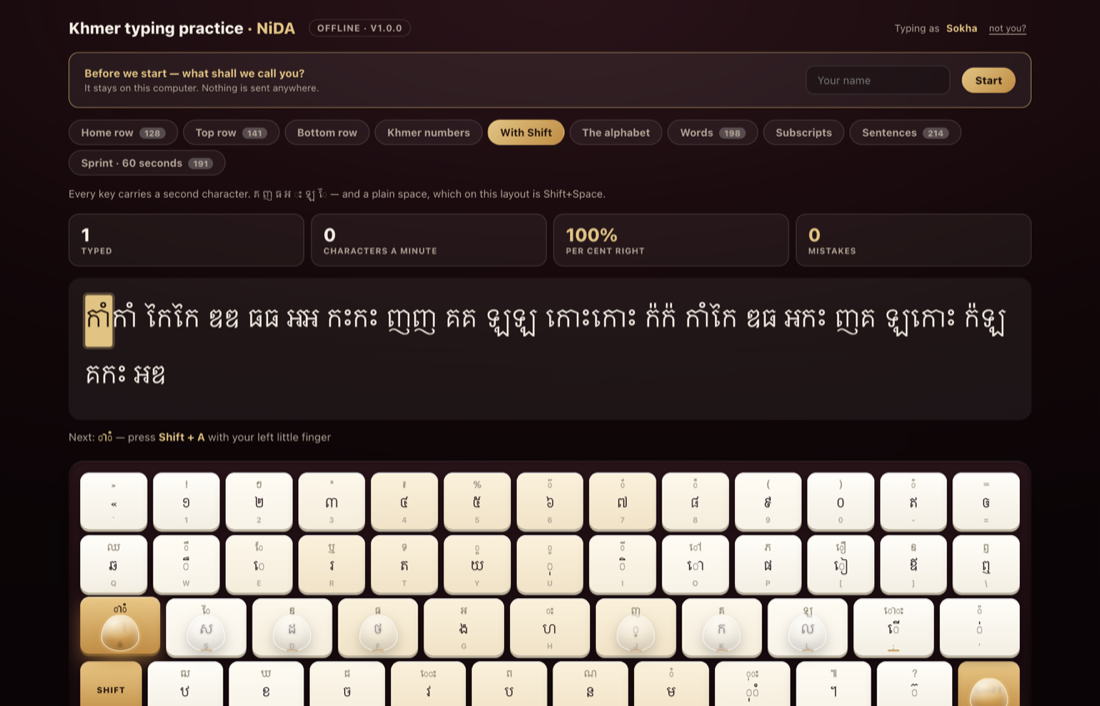
The lesson in progress: the line to copy, the next key lit gold, and translucent fingers resting on the home row.
The next key lights up, and the finger to press it is named.
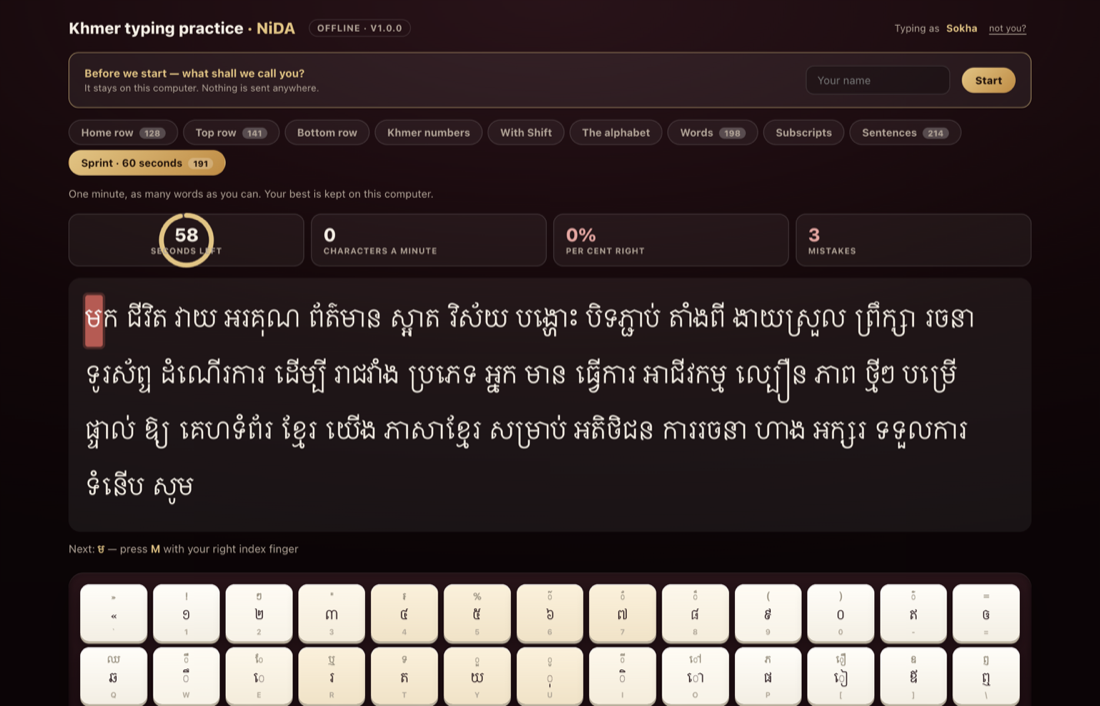
A Shift stroke: the left little finger on its key and the right little finger on Shift, both lit.
A capital needs two hands. Both fingers light, so you learn the reach.
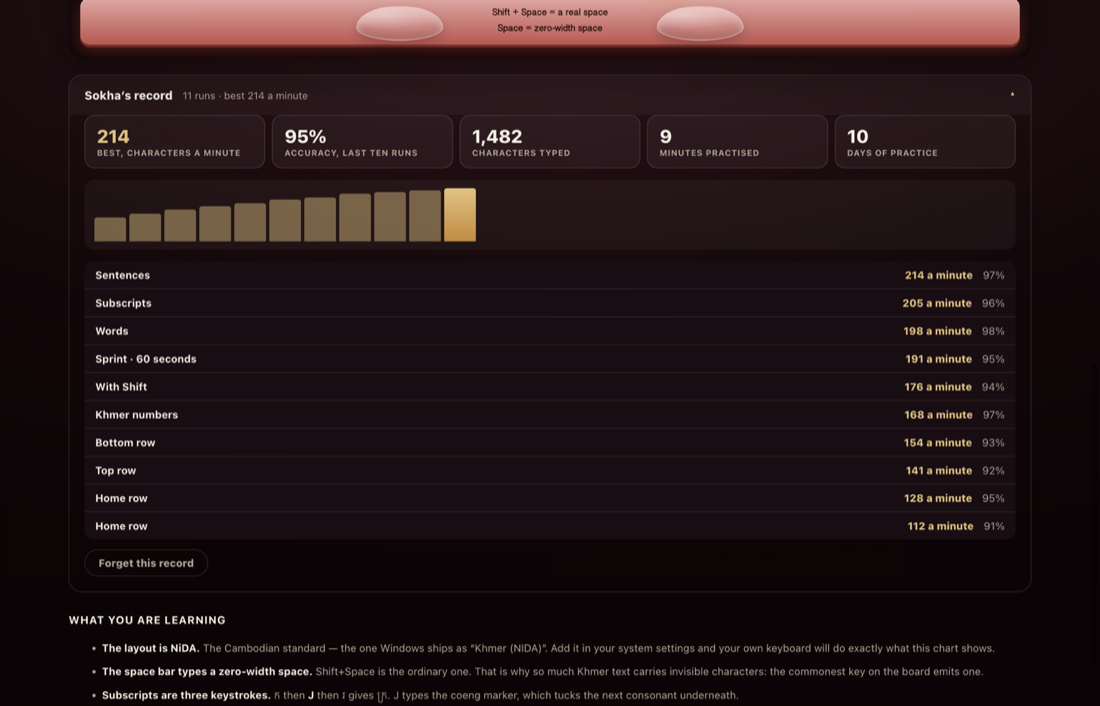
The sixty-second sprint with the countdown ring part-way through.
Sixty seconds, a ring that empties, and a best you can beat.
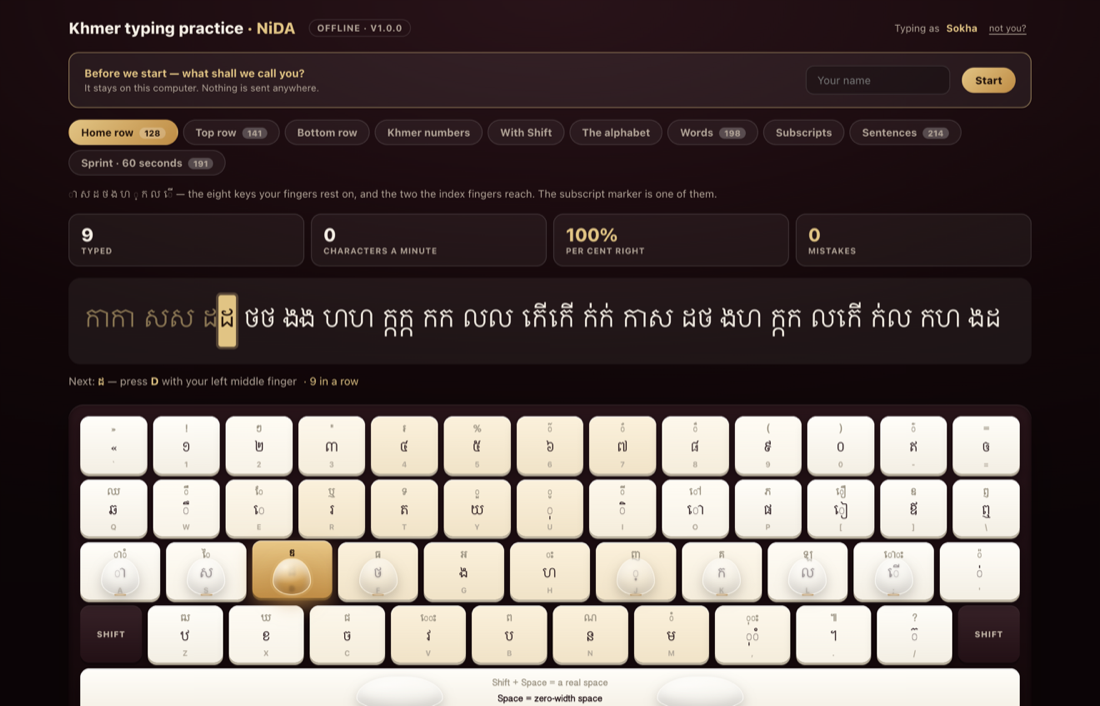
The record panel: best speed, accuracy, characters typed, days practised, and a bar for each run.
Every run kept — on your computer, and nowhere else.

What is in it

  • Ten lessons, from the home row to whole sentences
  • The full NiDA chart, with the next key lit and the finger named
  • Translucent hands that travel from the home row to the key you need
  • A sixty-second sprint with a countdown, and a personal best per lesson
  • Your record: best speed, accuracy, characters typed, days practised

What it needs

  • A physical keyboard — this teaches where the fingers go
  • No Khmer keyboard layout needed to practise; keys are read by position
  • A Khmer font, which macOS, Windows and most Linux desktops already have

3 downloads so far. Counted when the file is handed over; nothing about who took it is kept.

What Khmer Unicode typing is, and why it is taught

Khmer is written in Unicode now — one standard, understood by every phone, browser and database in the world. What it is not is a keyboard you can guess at. A syllable is a base consonant, then any subscripts, then the vowels and signs, in that order, and the keyboard that produces them is the NiDA layout: thirty-three consonants, the dependent vowels, the diacritics, and two keys that have no equivalent in English at all.

The first is the coeng marker on J, which tucks the next consonant underneath the one before it. ក្រ is not two letters typed side by side; it is ក, then J, then រ. The second is the space bar, which on this layout types a zero-width space — the invisible character Khmer uses to mark where a word ends — with Shift+Space for the ordinary one. Those two facts are most of the distance between typing Khmer and fighting it, and neither is written on any keycap.

Why an offline one at all

Learning to type is twenty minutes a day for a few weeks, and it is exactly the kind of habit a dropped connection breaks. A school in a province, an office on a bad line, a laptop on a bus — none of that should decide whether somebody learns the Khmer keyboard.

So this version has no internet in it at all. Not “works offline once it has loaded”: there is no request to make. The lessons, the layout, the words and your own record are all on your computer, and nothing about your practice goes anywhere. Copy the file onto a USB stick and hand it round a classroom.

Opening the Mac app the first time

The app is not signed with an Apple developer certificate, so the first time you open it macOS will say it cannot check it for malicious software. That is the message Apple shows for anything not paid into their programme, not a verdict on the file.

To open it: drag the app to Applications, then right-click it and choose Open, and confirm once. After that it opens like anything else. If you would rather not do that at all, take the single-file version — a page in your own browser asks nobody for permission.

More to come

This page is where our free software lives, and it will hold more than one thing. Each release will say what it is, what it needs and what changed, and each one will be counted honestly — the number under a download is the number of times that file was actually handed over, not a figure somebody typed in.

Nothing to install

Everything here also runs in the browser, with nothing downloaded and no account. Start typing now, full screen — the same tutor, and it sits in a toolbox of free tools that do the rest of the job — checking Khmer spelling and spacing, converting Limon to Unicode, Khmer dates, phone numbers, a character map, and the domain, SSL and DNS checks.

Browse the free tools →

Free · no obligation

Request a free consultation

Pick a time that suits you — we’ll confirm it and call.

  • Websites, apps, domains and hosting
  • A clear plan and a fixed price
Schedule a call
Day
Time

Your local time. Need an evening or weekend? Say so below.